
If you want better output from GPT-Image-2, the biggest upgrade is usually not a secret setting. It is the prompt. A strong prompt gives the model clear direction on subject, setting, style, composition, lighting, and the details that must stay consistent. A weak prompt leaves too much open, which often leads to attractive but unusable images.
This GTP-IMAGE-2 Prompt Guide is designed for marketers, creators, designers, and founders who want results that are closer to production quality. It is inspired by the structure used in Google and DeepMind prompt guides, but adapted for the strengths people care about most in GPT-Image-2: better text rendering, stronger realism, cleaner scene control, and more useful structured visuals.
The Core Prompt Formula
The easiest way to improve your generations is to stop prompting with scattered keywords and start prompting with a visual brief.
Use this structure:
[subject] + [action or state] + [setting] + [composition] + [style] + [lighting] + [important details]
That formula works because each part answers a different question:
subject: what is in the imageaction or state: what the subject is doingsetting: where the scene takes placecomposition: how the image is framedstyle: photo, editorial, illustration, cinematic, diagram, UI mockup, and so onlighting: soft daylight, neon, studio, golden hour, dramatic rim lightimportant details: text, materials, camera feel, color palette, anatomy, layout rules
When in doubt, write in full sentences. GPT-Image-2 usually performs better when your prompt reads like instructions from a creative director instead of a bag of tags.
What Makes a Good GPT-Image-2 Prompt
The best prompts tend to do four things well.
First, they are specific. Instead of asking for "a beautiful girl," ask for "a portrait of a young woman, natural window lighting, soft shadows, detailed skin texture, cinematic shallow depth of field, photographed like a modern editorial portrait."
Second, they describe what you want, not just what you do not want. Positive guidance is usually easier for the model to follow than a long list of prohibitions.
Third, they control the frame. Words like close-up, full-body, top-down, wide shot, low angle, macro, and center framed can dramatically change the result.
Fourth, they include the one or two details that really matter. If text must be readable, say so. If the logo must be correct, say so. If the image should feel like a smartphone photo instead of a polished studio render, say that too.
Prompt Template 1: Realistic Portraits
Portraits are one of the easiest ways to see whether a model understands realism. With GPT-Image-2, small details like skin texture, catchlights, hair edges, and depth of field matter a lot.
Example prompt:
Portrait of a young woman, hyperrealistic, natural window lighting, soft shadows on the face, detailed skin texture, cinematic shallow depth of field, photographic, clean neutral background, calm expression, sharp focus on the eyes
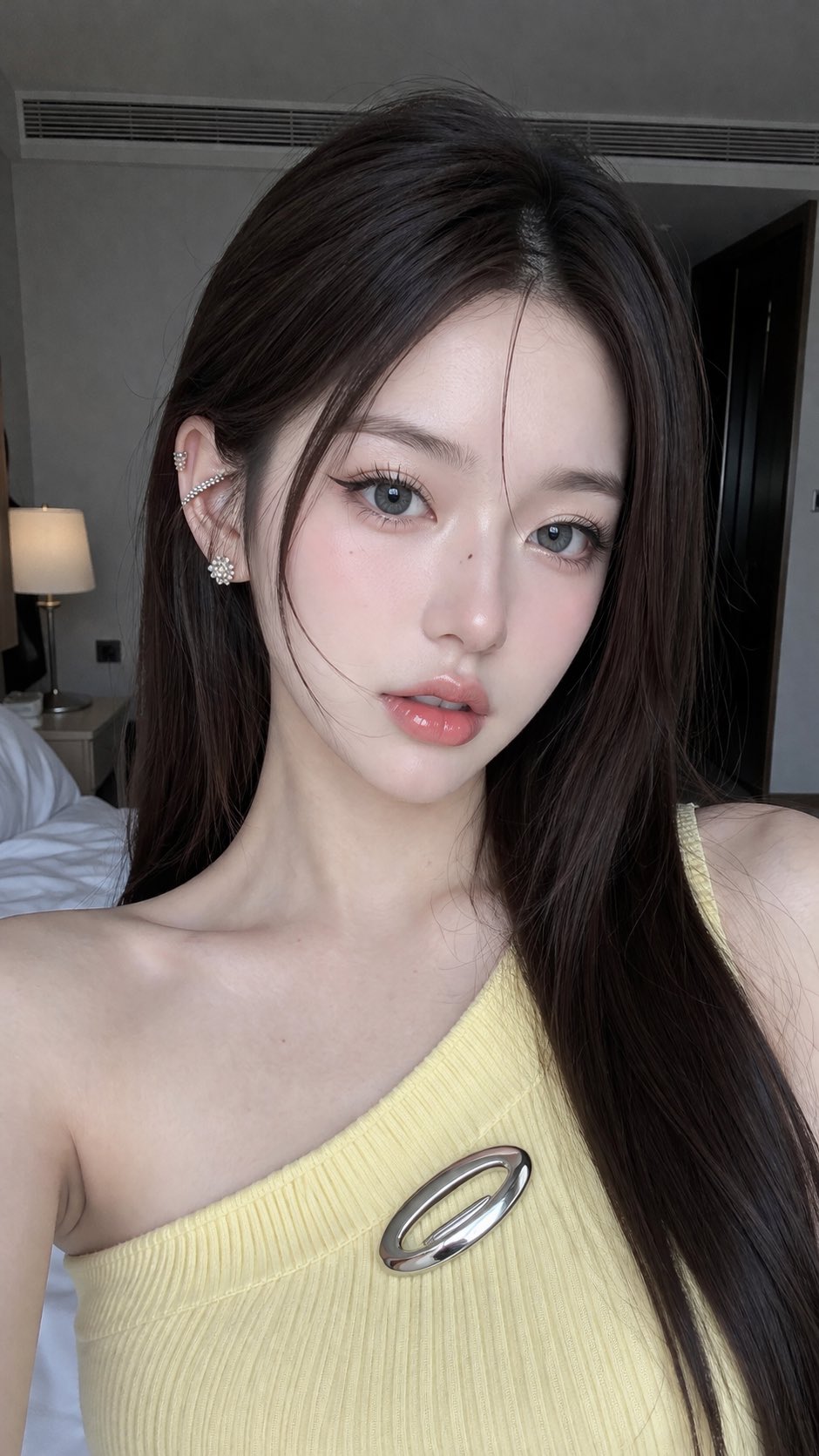
Why this works:
- the subject is clear
- the lighting is specific
- the composition and focus are controlled
- the style is explicitly photographic
If your portrait looks too synthetic, simplify the background, reduce competing details, and describe the light more precisely.
Prompt Template 2: Text, UI, and Structured Screens
One reason people are excited about GPT-Image-2 is that it can be more useful for interfaces, posters, notes, diagrams, and other structured visuals. For these images, layout matters almost as much as beauty.
Example prompt:
YouTube homepage screenshot on a laptop display, accurate layout with thumbnails and sidebar, correct UI elements and typography, realistic screen reflection, photorealistic, viewed from a slight front angle, clean modern desk environment
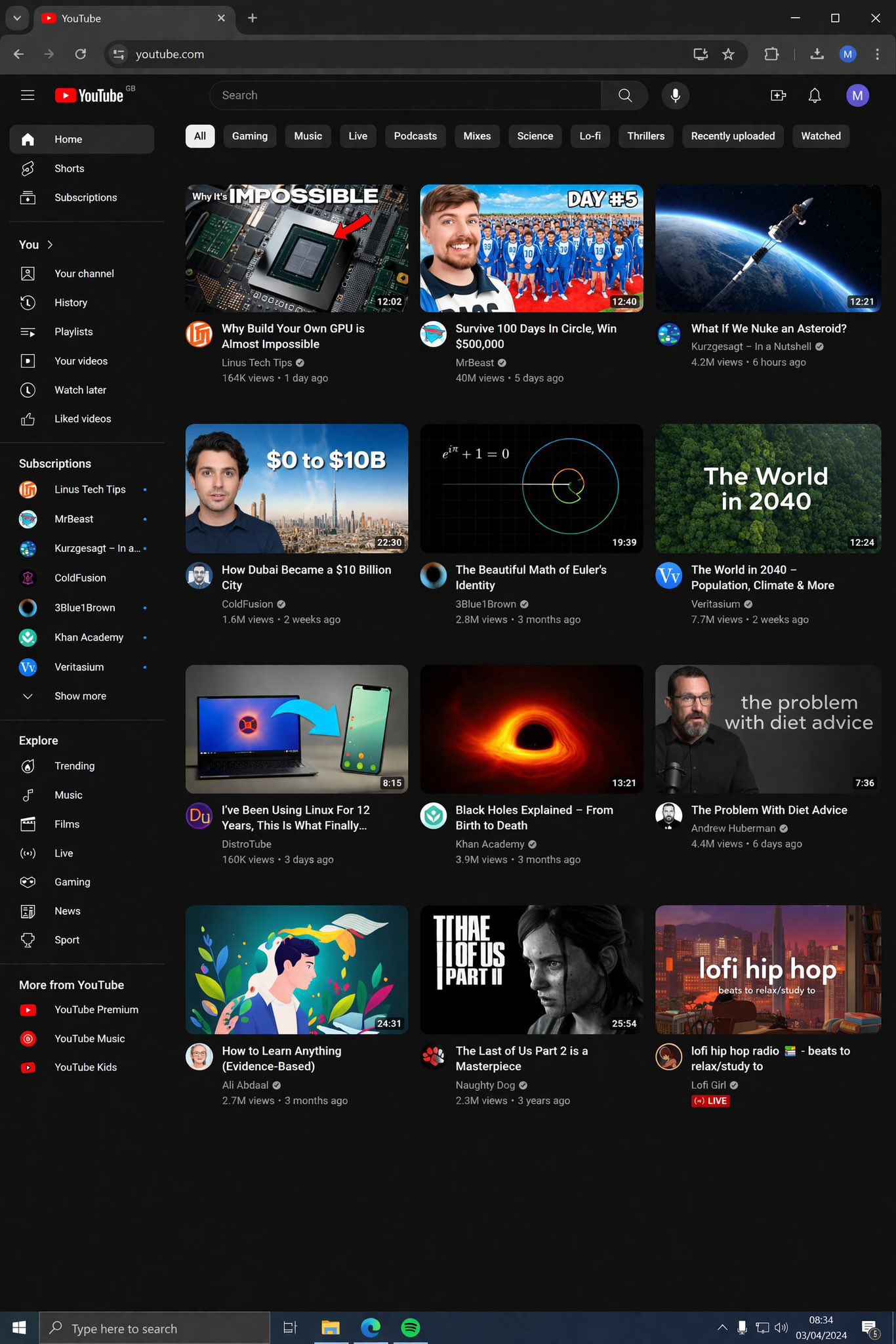
Tips for text-heavy prompts:
- put exact words in quotation marks when specific text matters
- say
readable typography,clean labels, orclear interface hierarchy - ask for short text, not dense paragraphs
- describe the medium: poster, sign, app screen, notebook, infographic
For handwriting, you can be even more explicit:
Open notebook with handwritten study notes, realistic handwriting with natural pen pressure variations, warm desk lighting, ultra-detailed paper texture, photorealistic, casual student desk scene
Prompt Template 3: Products and Commercial Images
For product marketing, GPT-Image-2 responds well when the prompt feels like a short ad brief. Mention the product, surface, camera angle, lighting setup, and mood.
Example prompt:
Premium skincare bottle on a matte stone pedestal, soft studio lighting, subtle shadow gradient, luxury beauty campaign style, centered composition, clean beige background, realistic glass reflections, high-end commercial product photography
This kind of prompt works because it sets both the object and the commercial intent. If you only say "a bottle on a table," the output may be fine, but it will not feel branded or premium.
Prompt Template 4: Diagrams, Maps, and Knowledge Visuals
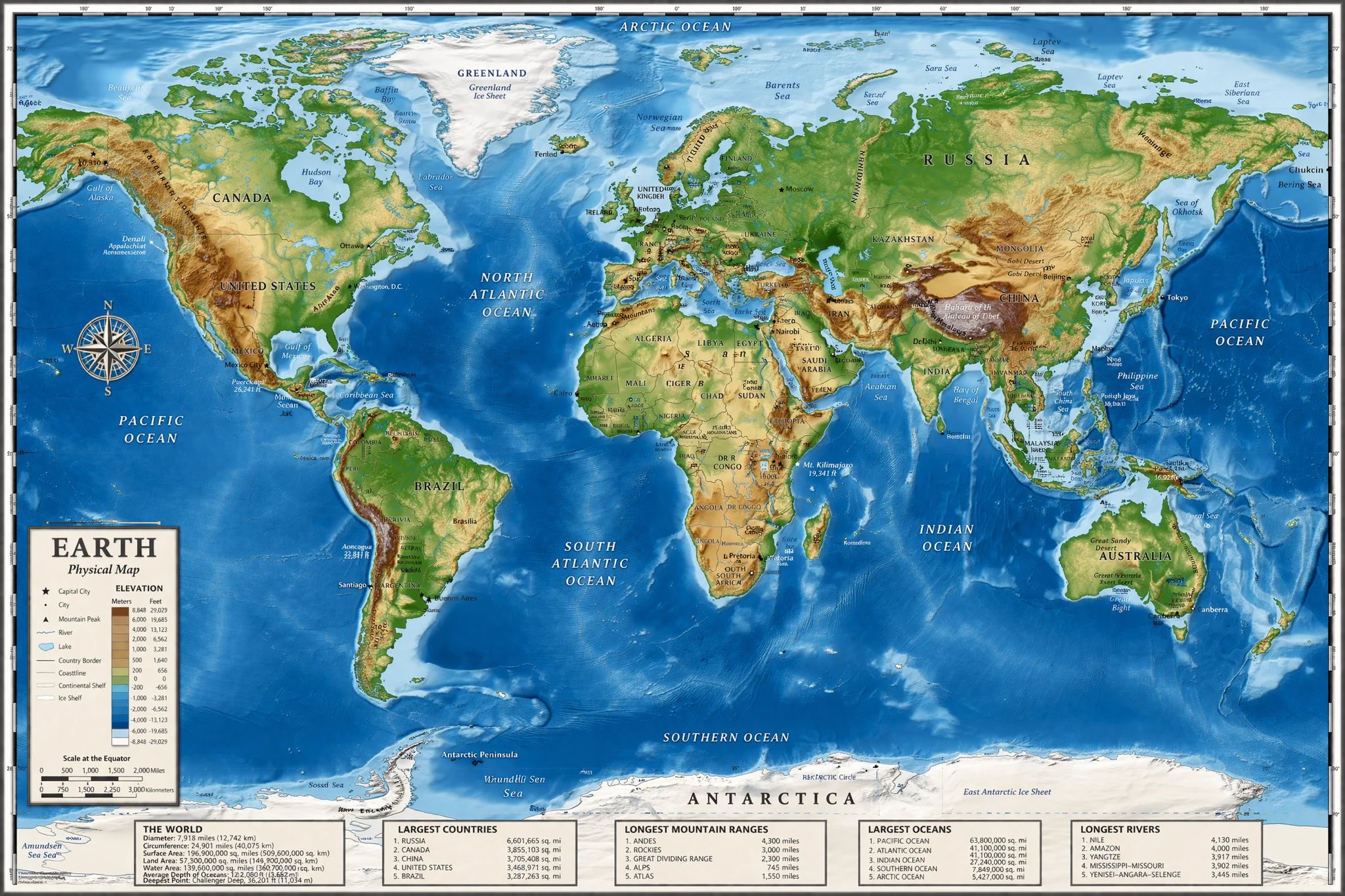
Another strong use case for GPT-Image-2 is the creation of structured visuals that combine content and design. These include floor plans, anatomy illustrations, educational charts, labeled graphics, and explainers.
Example prompt:
Detailed architectural floor plan for a living and dining room, accurate room dimensions, furniture placement with logical traffic flow, labeled zones including kitchen, patio, and living area, clean presentation style, top-down view
And for educational content:
Human anatomy diagram showing the muscular system, accurate anatomical labels with clean typography, medical illustration style, detailed and scientifically precise, balanced white background, textbook layout
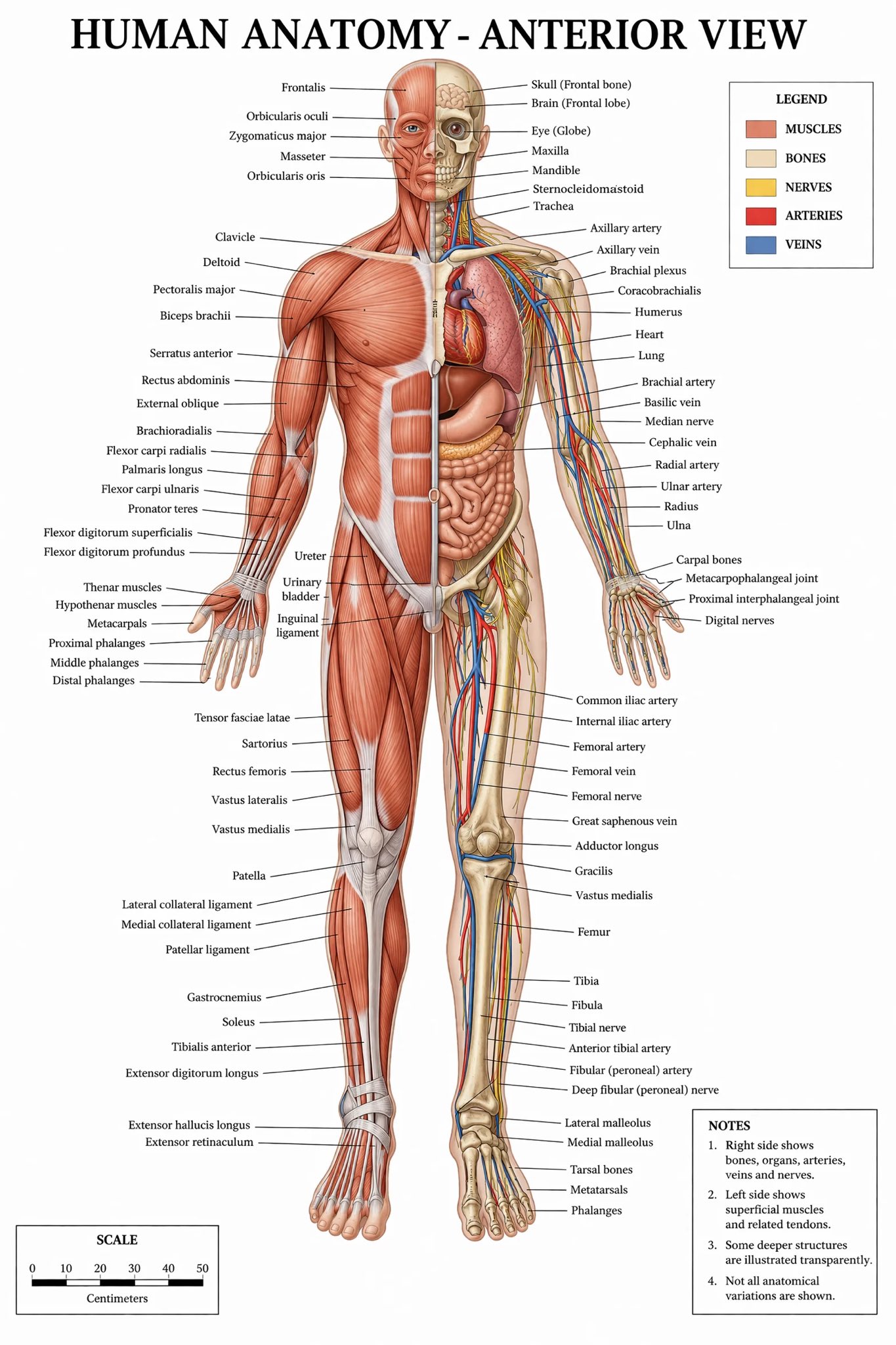
The key here is to prompt for both visual accuracy and presentation format. If you only ask for anatomy, you may get an artistic figure. If you ask for an anatomy diagram with labels and textbook layout, the image becomes much more usable.
Prompt Template 5: Editing and Iteration
A good GTP-IMAGE-2 Prompt Guide should also cover editing, because many real workflows do not start from zero. After your first generation, refine it with small, focused follow-up instructions.
Good editing prompts usually follow this pattern:
change [one thing] + keep [important things] the same
Examples:
Replace the supermarket branding with a clean generic label, keep the aisle layout and lighting the same.Change the portrait background to a warm beige studio backdrop, keep the face, pose, and lighting direction the same.Turn this product photo into a luxury poster, keep the bottle shape identical and add the text "Pure Glow" in elegant serif type.
This is better than rewriting the whole scene every time. Small edits help the model preserve continuity.
Common Prompt Mistakes
Even strong models perform worse when the prompt is overloaded or vague. The most common mistakes are:
- asking for too many styles at once
- combining multiple camera angles in one prompt
- requesting long paragraphs of in-image text
- using vague words like
nice,cool, orbeautifulwithout visual specifics - changing too many things during editing instead of iterating in steps
If a result feels close but not right, do not throw the prompt away. Usually the fix is to tighten one variable: lighting, composition, or scene detail.
A Simple Workflow You Can Reuse
Here is a practical workflow for daily use with GPT-Image-2:
- Start with the core scene in one sentence.
- Add composition and lighting.
- Add one style reference or output intent.
- Generate.
- Edit conversationally to fix only what is missing.
For example:
A photorealistic couple portrait outdoors in golden hour light, cinematic bokeh background, natural expressions, high-detail skin and hair, professional portrait photography, medium close-up, warm romantic tone
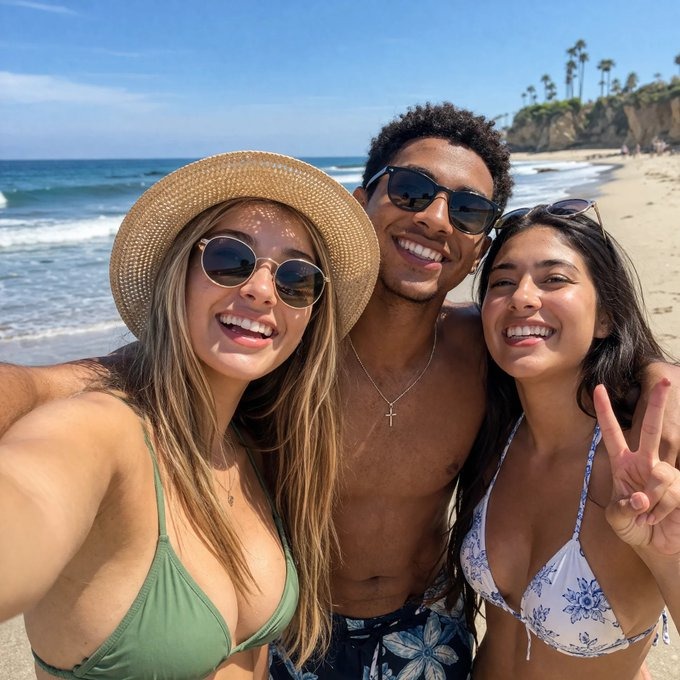
That is often enough to produce a much stronger result than a short prompt like romantic couple photo.
Final Thoughts
The real lesson of this GTP-IMAGE-2 Prompt Guide is simple: better prompts create better decisions inside the image. When you describe the scene clearly, GPT-Image-2 is more likely to give you realistic lighting, stronger composition, cleaner text, and visuals that are closer to publishable quality.
You do not need to write a novel for every generation. But you do need to be intentional. Think like a photographer, art director, or designer. Name the subject. Control the frame. Define the light. Protect the details that matter.
If you do that consistently, GPT-Image-2 becomes much more than a fun image generator. It becomes a serious production tool for blog graphics, product visuals, educational diagrams, UI mockups, and branded creative work.
FAQ
What is the best prompt structure for GPT-Image-2?
Use a clear sequence: subject, action, setting, composition, style, lighting, and critical details. This gives the model both creative direction and output constraints.
Is GPT-Image-2 good for text rendering?
It looks especially promising for signs, notes, posters, diagrams, and interface-style images. Short, explicit text prompts usually work better than long paragraphs.
How long should a GPT-Image-2 prompt be?
Long enough to be specific, short enough to stay focused. In many cases, one detailed sentence or a short paragraph is the sweet spot.
Should I use keywords or full sentences?
Full sentences are usually better. Keywords can help, but sentence-based prompts tend to produce more coherent scene logic and style control.