
If you are searching for gpt-image-2, you are probably asking a practical question rather than a theoretical one: is this model actually better than Nano Banana for real image work?
The short answer is yes for many structured workflows, but the full answer is more useful. GPT-Image-2 looks especially strong when you care about prompt accuracy, readable in-image text, cleaner layout control, and edits that stay close to your instructions. Nano Banana still matters because it can feel fast, visually appealing, and creatively flexible, especially when the goal is exploration rather than precision.
This guide breaks the comparison down for creators, marketers, prompt engineers, and anyone deciding which model should be the default tool in a production workflow. Instead of treating the debate like a simple winner-versus-loser story, it is better to look at what each model does well and where gpt-image-2 creates a real advantage.
Why People Are Searching for GPT-Image-2
Interest in gpt-image-2 has grown because people want more than just pretty generations. They want an image model that can:
- follow long prompts more reliably
- render visible text with fewer mistakes
- edit an existing image without wrecking the rest of the scene
- generate realistic humans without making everything look overly fake
- handle interface mockups, posters, labels, and infographics
That combination is difficult. Some models are good at beauty, some are good at speed, and some are good at stylization. What makes gpt-image-2 interesting is that it appears to balance several strengths at once. In other words, it is not only about visual quality. It is about how often the first or second attempt is already close to usable.
This is why comparison searches such as gpt-image-2 vs nano banana keep appearing. Users do not just want novelty. They want confidence that the model can produce something publishable for landing pages, blog headers, ecommerce assets, social ads, YouTube thumbnails, product explainer graphics, and internal design work.
Quick Comparison: GPT-Image-2 vs Nano Banana
| Feature | GPT-Image-2 | Nano Banana |
|---|---|---|
| Realism | Strong, polished, and often more production-ready | Often natural-looking, sometimes more relaxed and less controlled |
| Text rendering | Usually stronger for posters, labels, UI, and charts | Good, but more likely to need cleanup in dense text layouts |
| Prompt following | Better with detailed scene instructions | Good for broad ideas, weaker when prompts get very specific |
| Editing control | More precise for targeted changes | Better for loose creative iteration |
| Visual style | Clean, coherent, and often cinematic | Flexible, exploratory, sometimes more organic |
| Best use case | Marketing assets, product visuals, structured graphics | Rapid ideation, concept testing, playful style exploration |
The table is useful, but it does not show the actual feel of each model. That is where image examples become much more helpful.
Visual Comparison: Portrait Realism
One of the biggest reasons people test gpt-image-2 is portrait realism. With earlier image models, a common issue was that faces looked too polished, too smooth, or too obviously synthetic. A model could generate a beautiful image and still fail the realism test once you looked at the skin texture, hairline, eyes, or symmetry.
In the example below, you can see the practical difference in how the two models approach a similar portrait-style request.
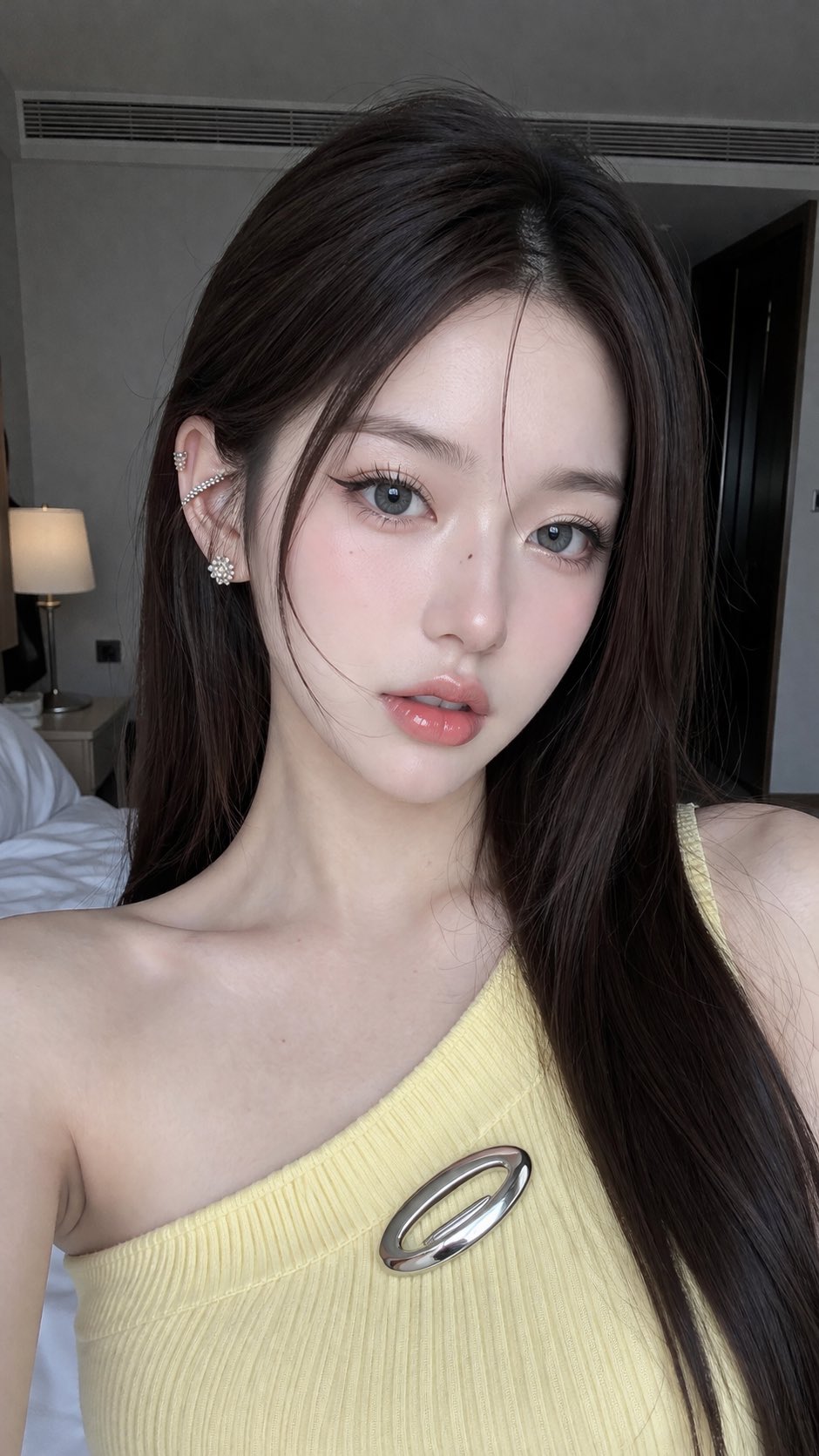
GPT-Image-2 example: cleaner lighting, sharper structure, and a more polished portrait result.
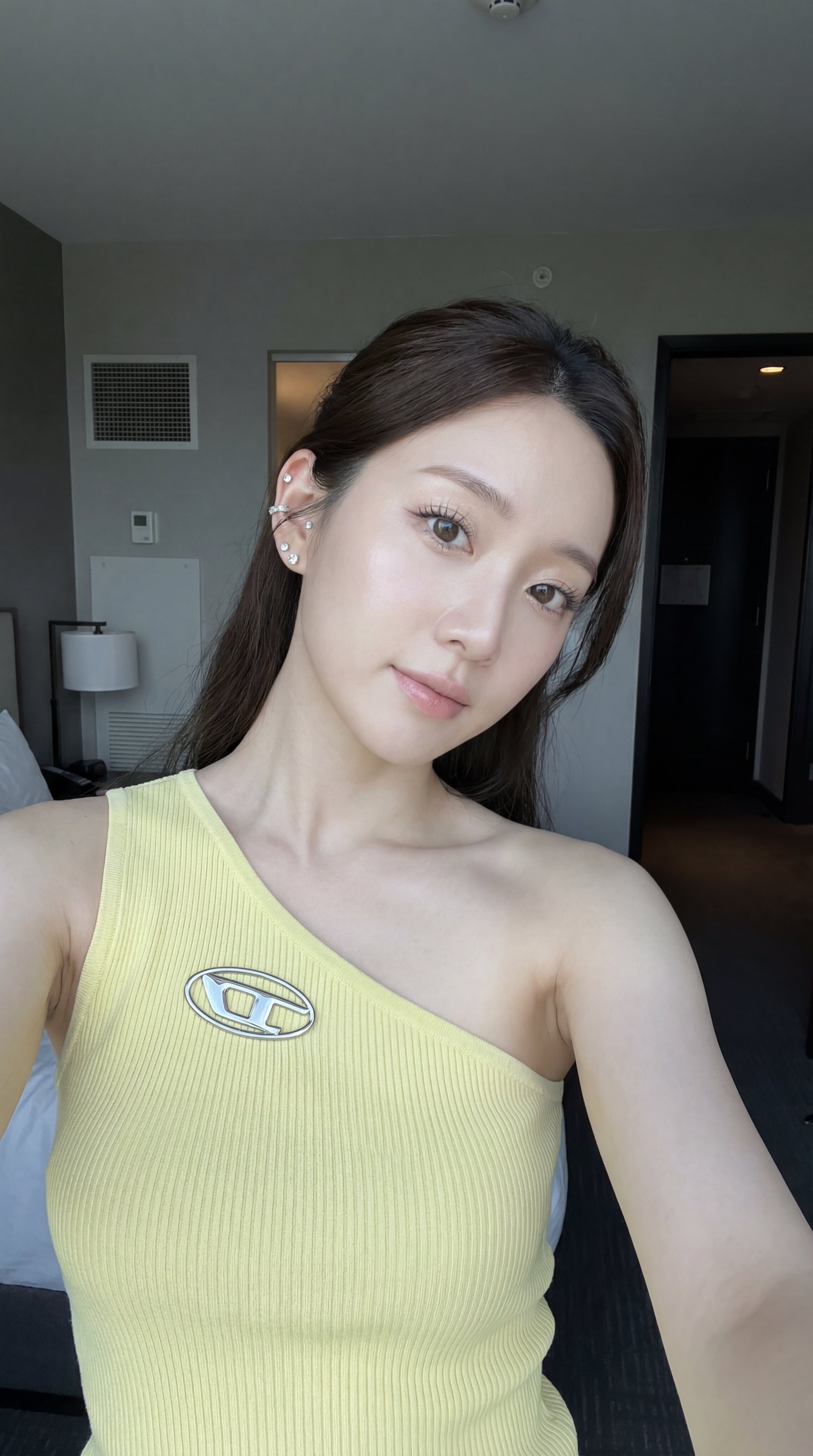
Nano Banana example: still attractive, but the rendering style and texture handling feel different.
This kind of side-by-side comparison explains why gpt-image-2 is attracting so much attention. It often produces a portrait that feels more intentional and more immediately usable in production. That matters when the image is not just for fun, but for a blog hero, ad creative, content thumbnail, or branded campaign.
At the same time, Nano Banana still has value. Some users may actually prefer a softer or more exploratory look, especially if they are still trying to discover the right visual direction. But if the question is which one feels closer to a polished deliverable, gpt-image-2 often has the edge.
GPT-Image-2 and In-Image Text Rendering
Text rendering is one of the most important areas where gpt-image-2 stands out. Many image generators can make impressive concept art. Fewer can create an infographic, a chart, a poster, a UI mockup, or a product label where the text is readable enough to be useful.
That difference is huge in real business workflows. If the model gets the layout right but destroys the text, the image still needs heavy manual repair. If the model can keep headings, labels, buttons, and callouts readable, the asset becomes far more valuable.
From the source material you provided, a recurring theme is that gpt-image-2 is especially promising when dealing with dense visual structure: screens, diagrams, charts, maps, and interfaces. That does not mean it is flawless. Long text is still hard for every image model. But gpt-image-2 appears better positioned when the prompt includes both design composition and semantic structure.
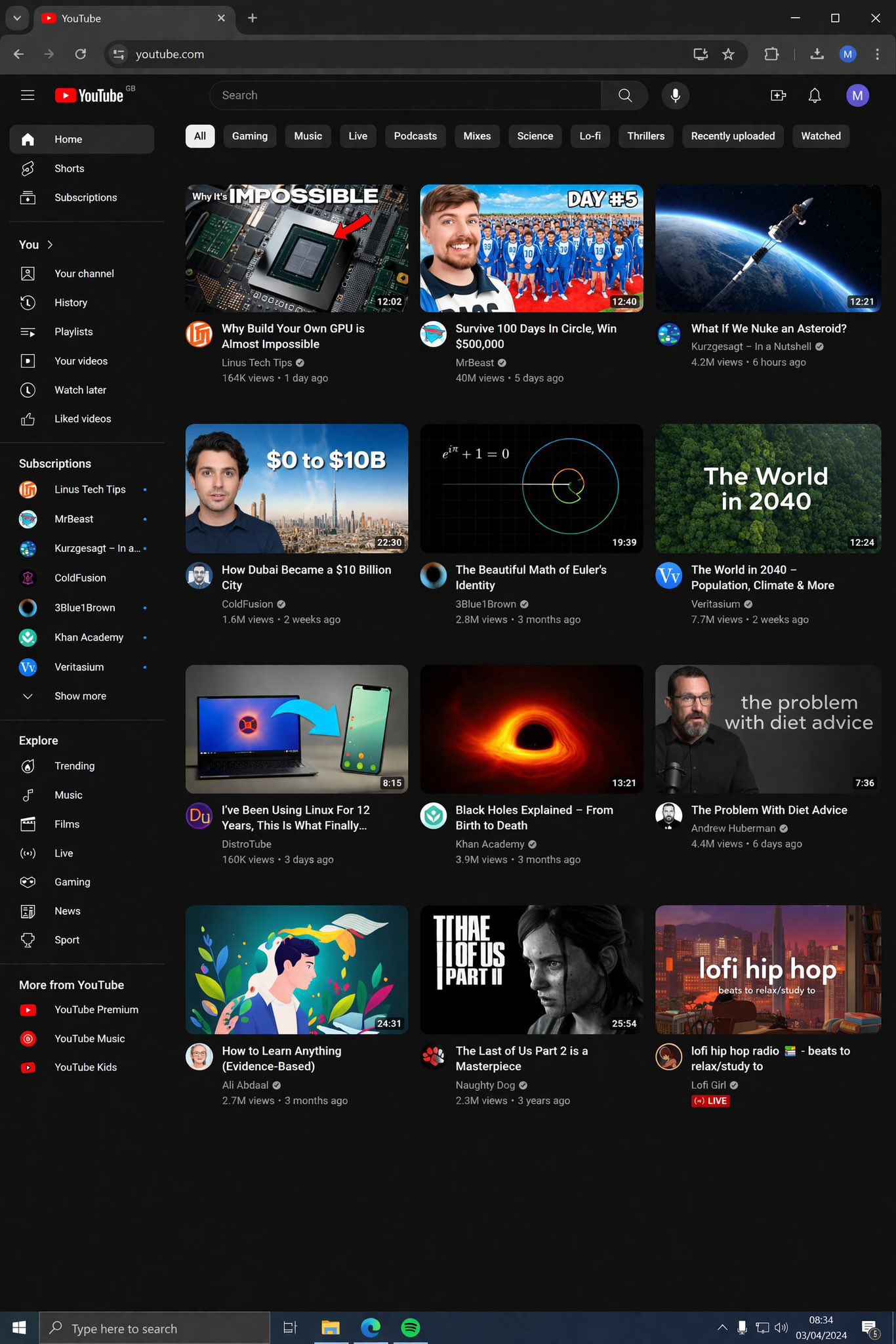
The example above shows why people are paying attention. When an image model can simulate a dense screen while keeping much of the layout readable, it becomes useful for content teams, product teams, and marketers who need visual storytelling, not just decoration.
Visual Comparison: Complex Scene Control
A second important comparison is scene control. It is one thing to generate a simple headshot. It is much harder to manage a scene with character pose, clothing details, background objects, perspective, and action cues while keeping the whole frame coherent.
That is where structured prompts often expose the gap between two models. If the user asks for a police scene, a cinematic angle, or a narrative moment with multiple visible objects, the model has to keep the entire image synchronized. Any weakness in prompt following, anatomy, or scene composition becomes obvious very quickly.
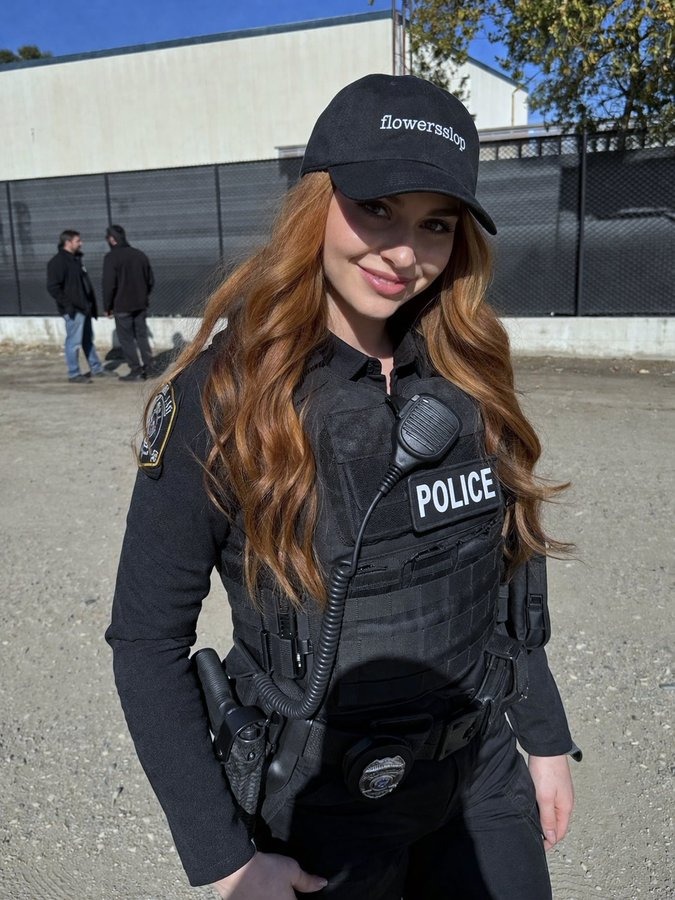
GPT-Image-2 example: stronger composition and a more controlled scene layout.
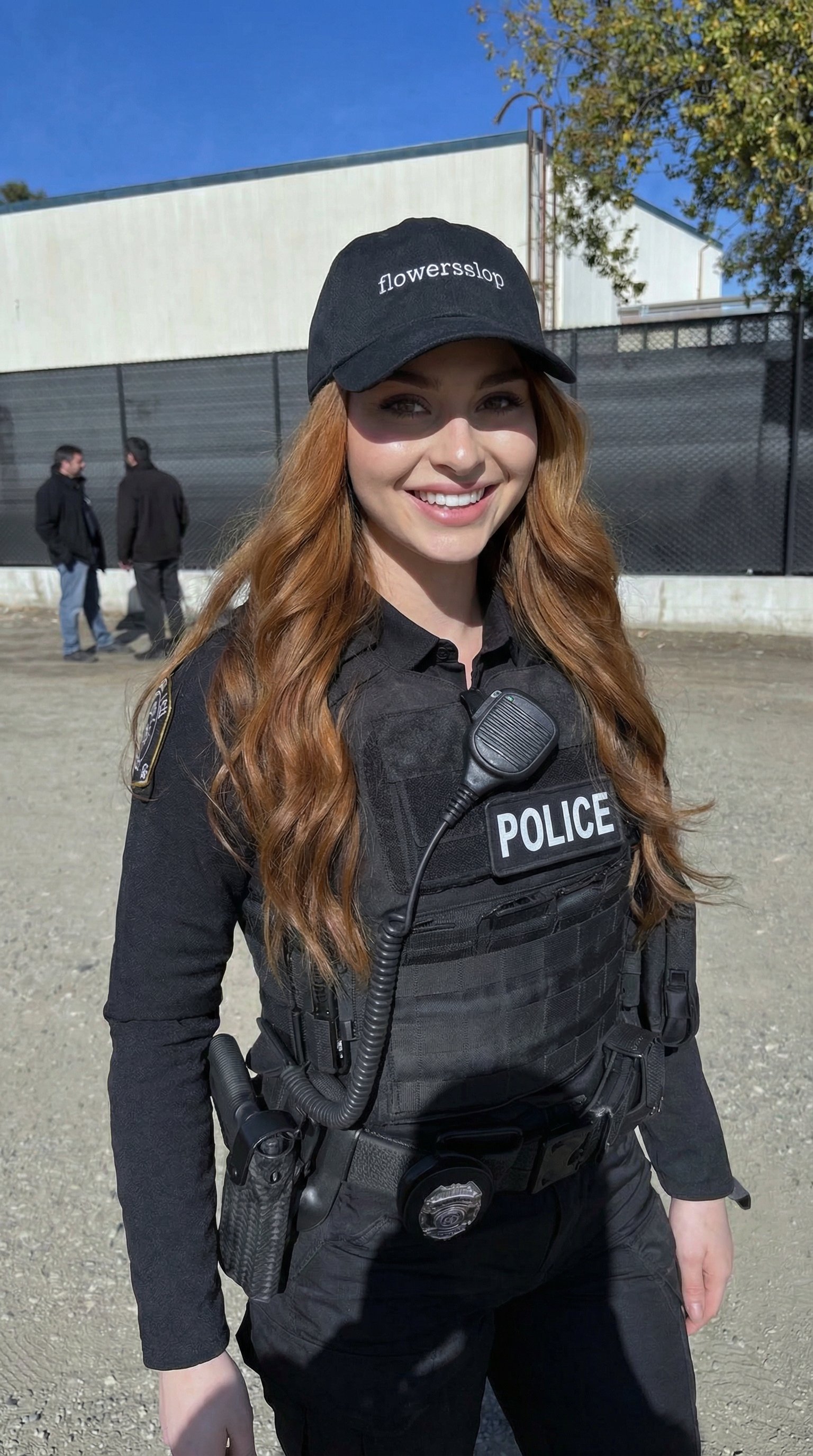
Nano Banana example: creative and visually appealing, but the final feel is a bit different.
For people evaluating gpt-image-2 as a production tool, this is one of the strongest arguments in its favor. You are not only judging whether the image looks cool. You are judging whether it stayed loyal to the prompt, whether the spatial arrangement makes sense, and whether the output can be published with minimal post-processing.
Editing Reliability Matters More Than People Expect
Image generation gets the attention, but editing is often where a model proves its real value. Many users do not start from zero. They start from an existing asset and need changes such as:
- replace one object in the foreground
- change clothing without changing the face
- add signage or labels
- alter a background while preserving the subject
- keep a character consistent across several variations
This is where gpt-image-2 becomes especially useful. A strong editor saves time because it lets you refine the idea instead of restarting from scratch. In many practical workflows, that is more valuable than raw generation quality.
If your team creates landing pages, social graphics, product promos, blog headers, or educational images, editing precision can remove a huge amount of manual cleanup. Instead of regenerating ten near-misses, you can work iteratively toward the final asset. That is one of the clearest reasons why gpt-image-2 is attractive for production use.
Where Nano Banana Still Wins Attention
A fair comparison should also explain why Nano Banana still has supporters. It remains a strong option for people who prioritize experimentation, speed, or creative drift. In early ideation, you do not always need perfect control. Sometimes you want a model that feels playful and produces lots of usable surprises.
That matters in concept exploration. For example:
- testing different moods for a campaign
- trying many character concepts quickly
- generating style references before art direction is finalized
- exploring variations without caring about exact text or layout
In those situations, Nano Banana can still make a lot of sense. It may not always feel as locked-in as gpt-image-2, but that looseness can be helpful when your goal is quantity of ideas rather than precision of execution.
So the real decision is not only about which model is technically better. It is about which model fits the stage of the workflow. If you are still looking for direction, Nano Banana can be useful. If you already know what you want and need a high-confidence result, gpt-image-2 becomes more compelling.
Best Use Cases for GPT-Image-2
Based on the current examples and comparison material, gpt-image-2 looks especially strong for the following jobs:
- product hero images for landing pages
- blog and article visuals
- educational diagrams and labeled illustrations
- poster-like marketing graphics
- interface mockups and screen compositions
- realistic portraits for branded content
- structured editing of existing images
The common pattern is clear. GPT-Image-2 is at its best when the image needs to be both attractive and correct. That is a different standard from casual image generation. It is the standard teams care about when an asset will appear on a website, in a campaign, or in a product launch.
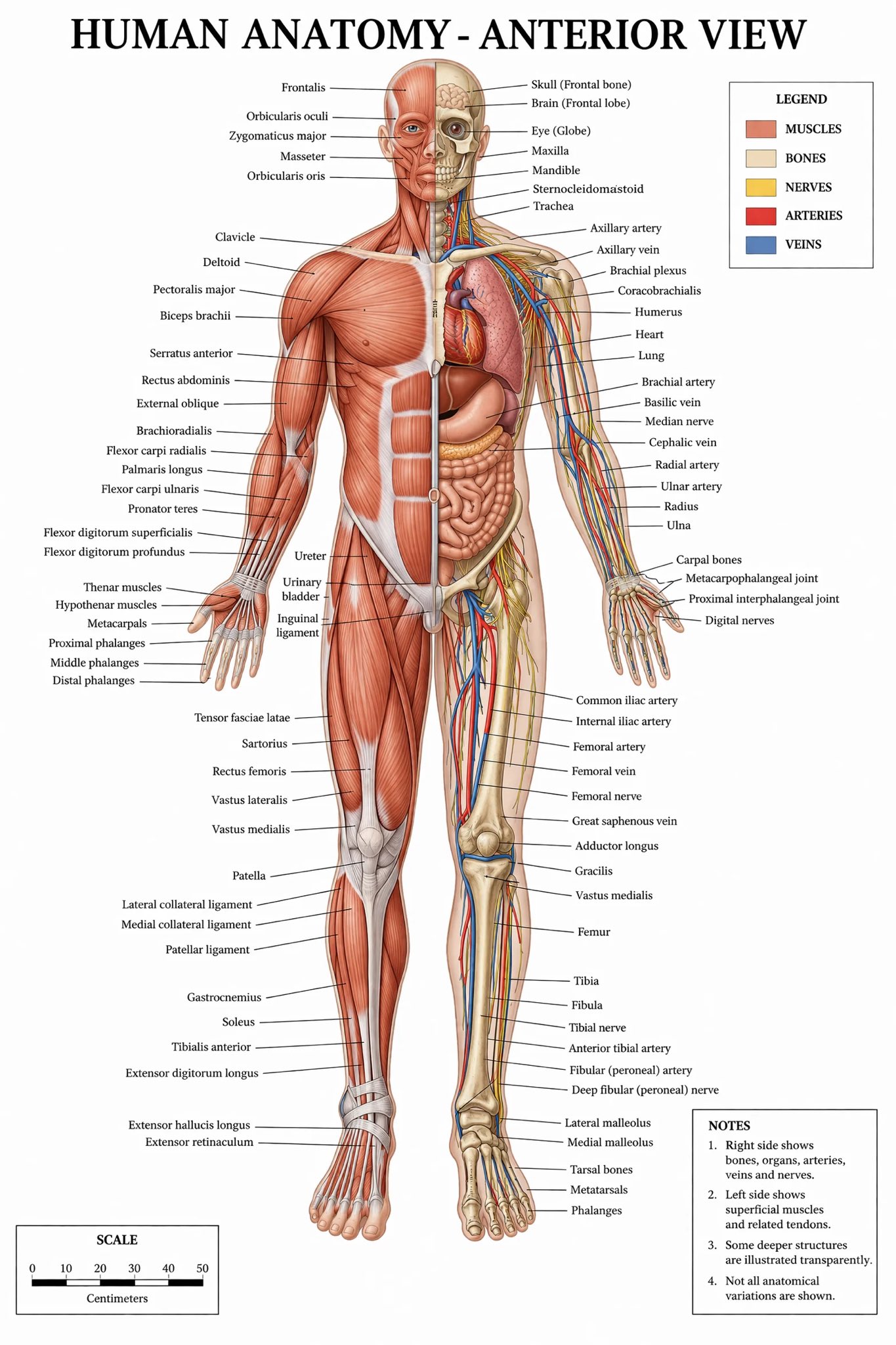
The anatomy-style example is important because it shows a pattern: gpt-image-2 is not just aiming for aesthetics. It is also handling semantic layout, label placement, and visual hierarchy. That is why it feels more commercially relevant than many image models that are only impressive in an art-demo setting.
How to Choose Between GPT-Image-2 and Nano Banana
The easiest way to choose is to look at the job you need the image to do. If the image is part of a finished asset, gpt-image-2 is usually the safer starting point. It is better suited for situations where the result needs a clear layout, readable details, and fewer strange surprises after generation.
Nano Banana is still a good option when the goal is looser. If you are moodboarding, collecting inspiration, or testing many directions before choosing a final style, Nano Banana can be useful because it keeps the process fast and exploratory.
For teams, the best workflow may use both models at different stages. You can use Nano Banana to explore early ideas, then switch to gpt-image-2 when the direction is clear and the output needs to look more finished. That gives you the benefit of speed during ideation and stronger control during production.
FAQ About GPT-Image-2
Is GPT-Image-2 better than Nano Banana?
For many professional use cases, yes. GPT-Image-2 often looks better for prompt accuracy, text rendering, and structured editing. Nano Banana still makes sense for fast creative exploration.
Is GPT-Image-2 good for realistic images?
Yes. One of the main reasons people are excited about gpt-image-2 is that it often produces more believable lighting, faces, and overall image coherence, especially in portraits and more controlled scenes.
Is GPT-Image-2 good for infographics and UI-style images?
It appears stronger than many general image models in this area. That said, long or dense text can still be difficult. The advantage is that gpt-image-2 more often gets close enough to be genuinely useful.
Should marketers care about GPT-Image-2?
Absolutely. Marketers need visuals that can carry structure, text, and brand clarity. That is where gpt-image-2 is more valuable than models that only produce visually interesting but less controllable images.
Final Verdict
If you want the simplest answer, here it is: GPT-Image-2 looks like the stronger model when output quality needs to be usable, controlled, and close to the prompt.
Nano Banana is still relevant. It remains a good tool for experimentation, concept discovery, and flexible visual ideation. But if your workflow depends on realism, layout discipline, readable text, and editing precision, gpt-image-2 looks like the better default.
That is why interest in gpt-image-2 keeps growing. It is not only another AI image model. It is a model that appears more aligned with production work, commercial graphics, and content teams that need images to do a job, not just look interesting for a few seconds.